


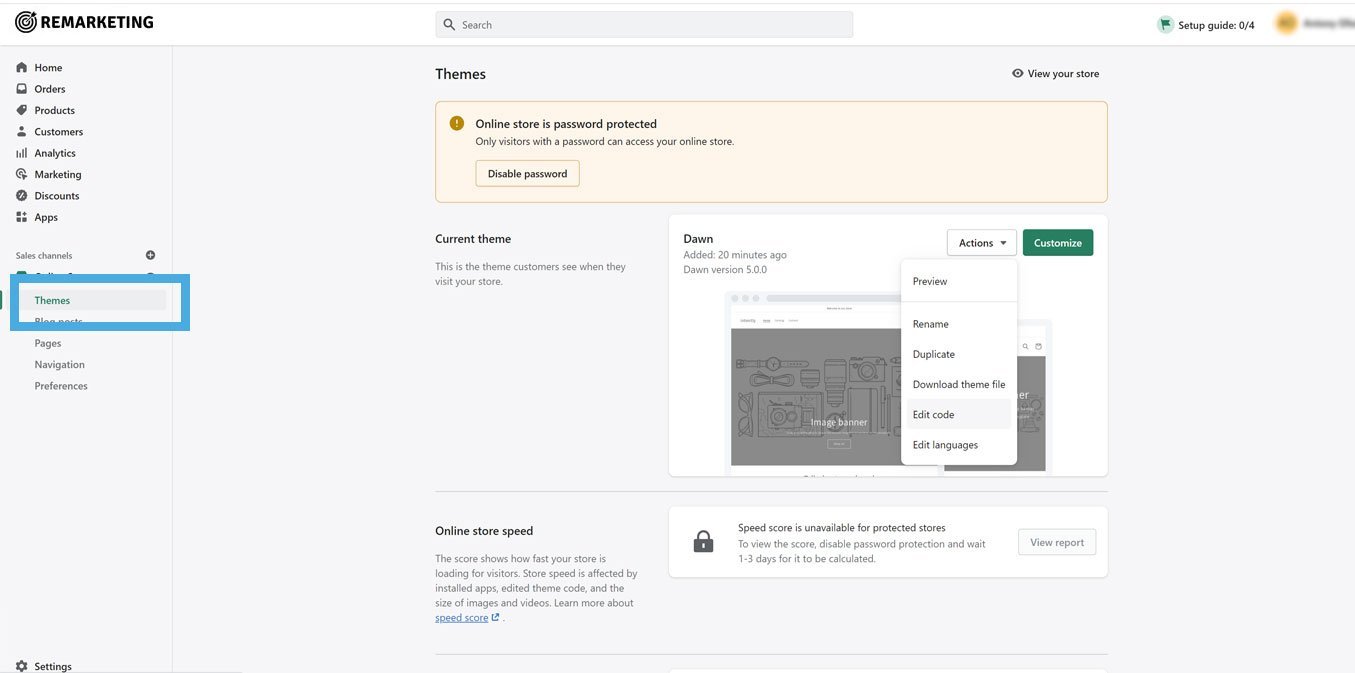
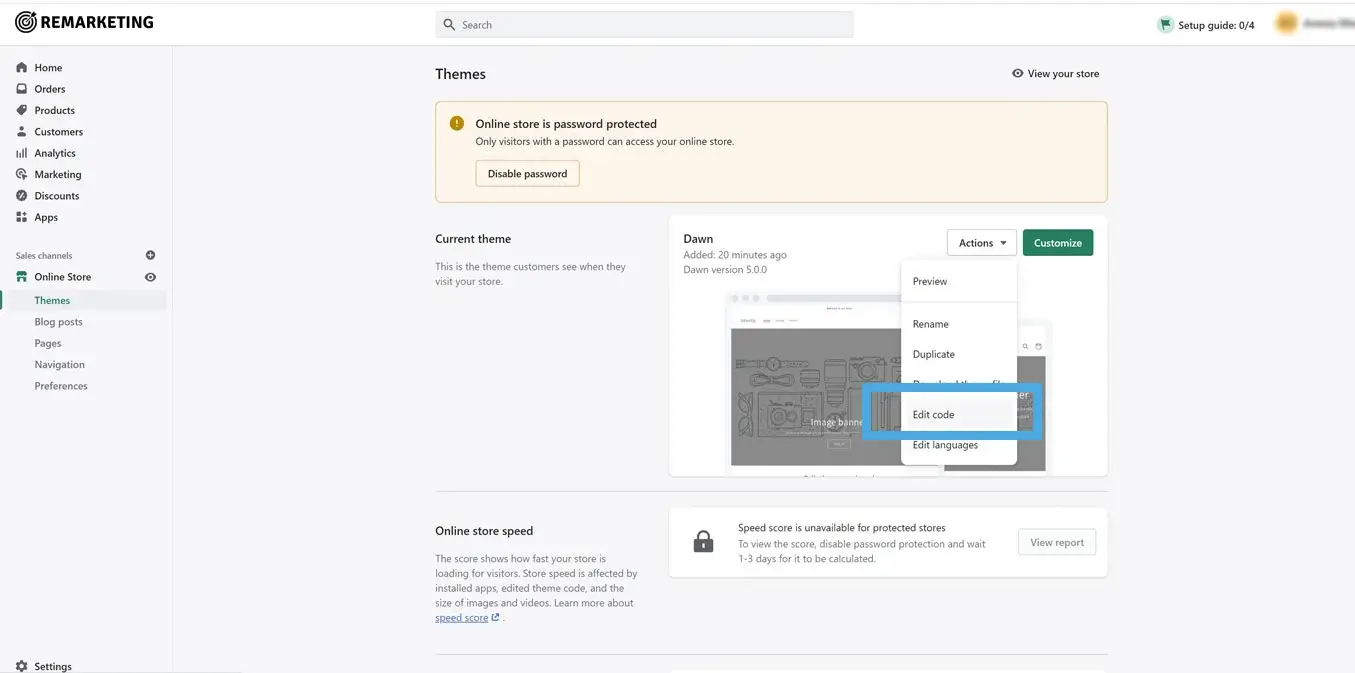
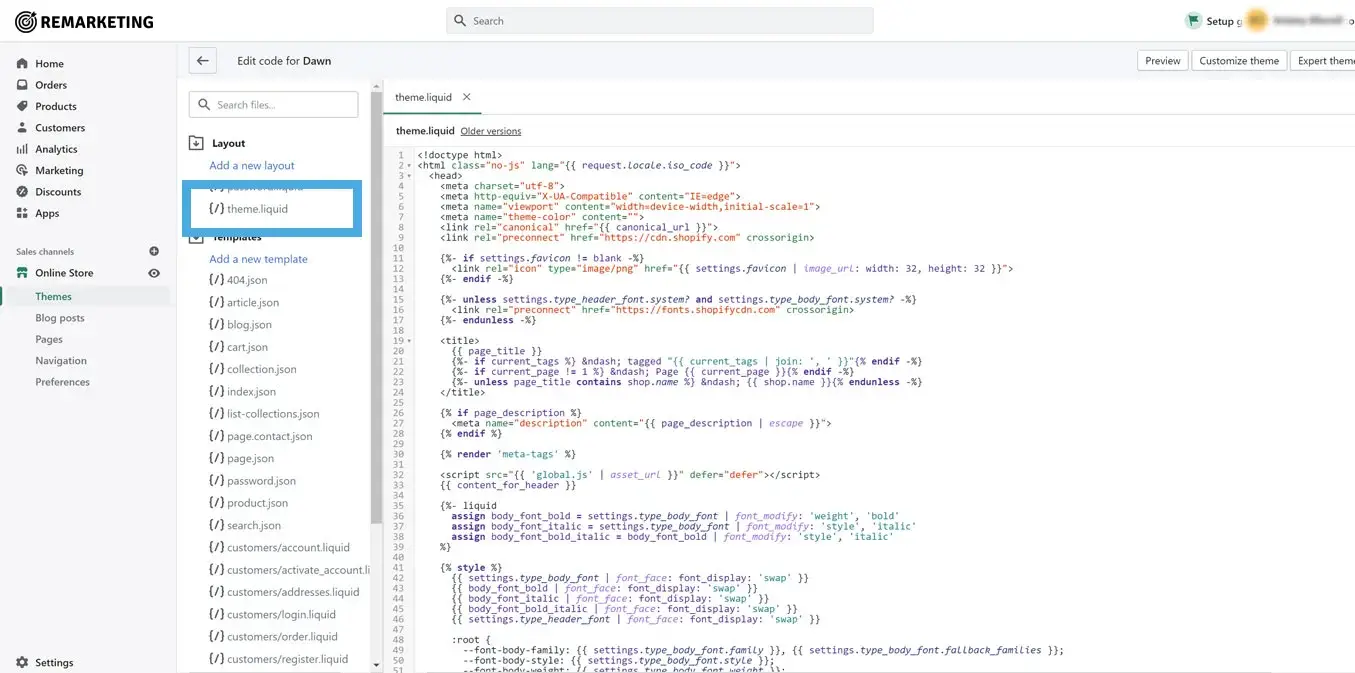
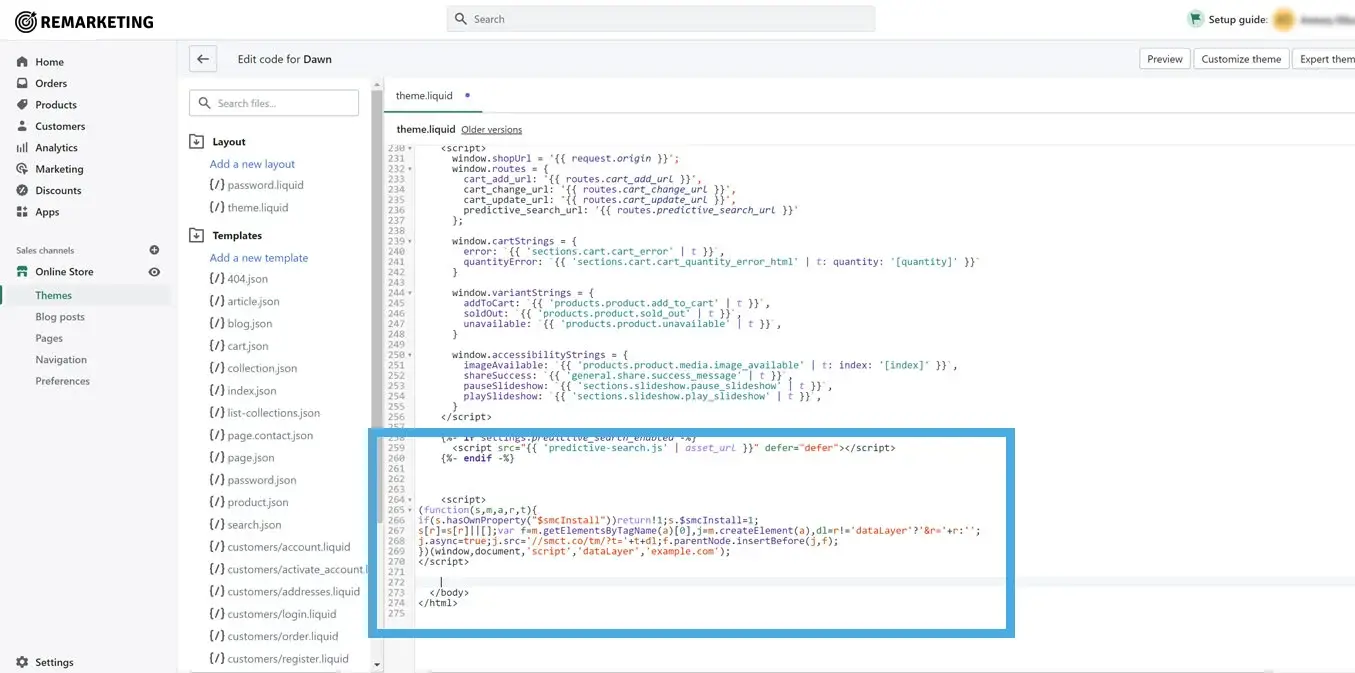
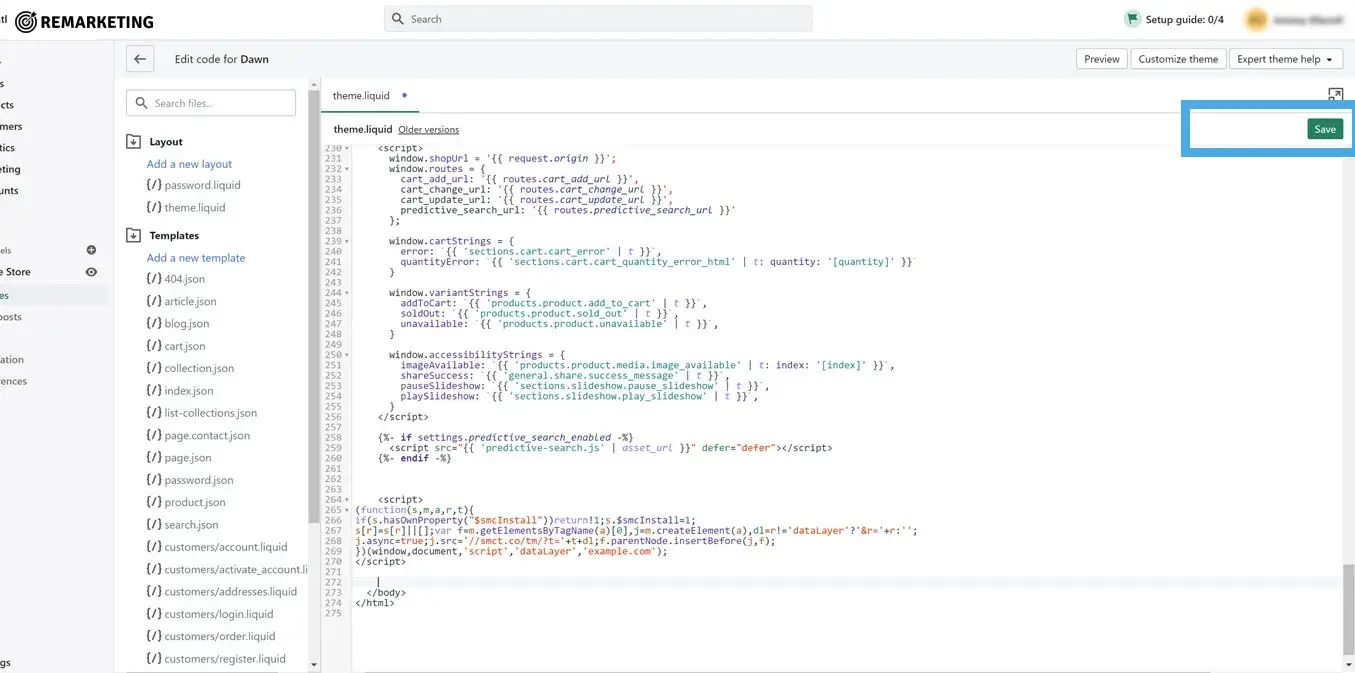
Integrating the Remarketing tag into your Shopify website is quick and simple, just follow the guide below to get your tag live.
The URL will look like this: https://Your-Shop-Name.myshopify.com/admin/
Find your best customers, engage them with the perfect ad, and meet your business goals. Remarketing Platform helps you build ad campaigns that increase sales and grow your customer base.
Find your best customers, engage them with the perfect ad, and meet your business goals. Remarketing Platform helps you build ad campaigns that increase sales and grow your customer base.