


Your website is already connected to GTM, integrating the RA-engine tag is quick and simple. Just follow the guide below to get your tag live. Please make sure the tag is not placed inside an iFrame, as that will affect our ability to run your campaigns properly.
The URL will look like this: https://tagmanager.google.com/#/home - Then select your website on container in which you want to integrate our pixel
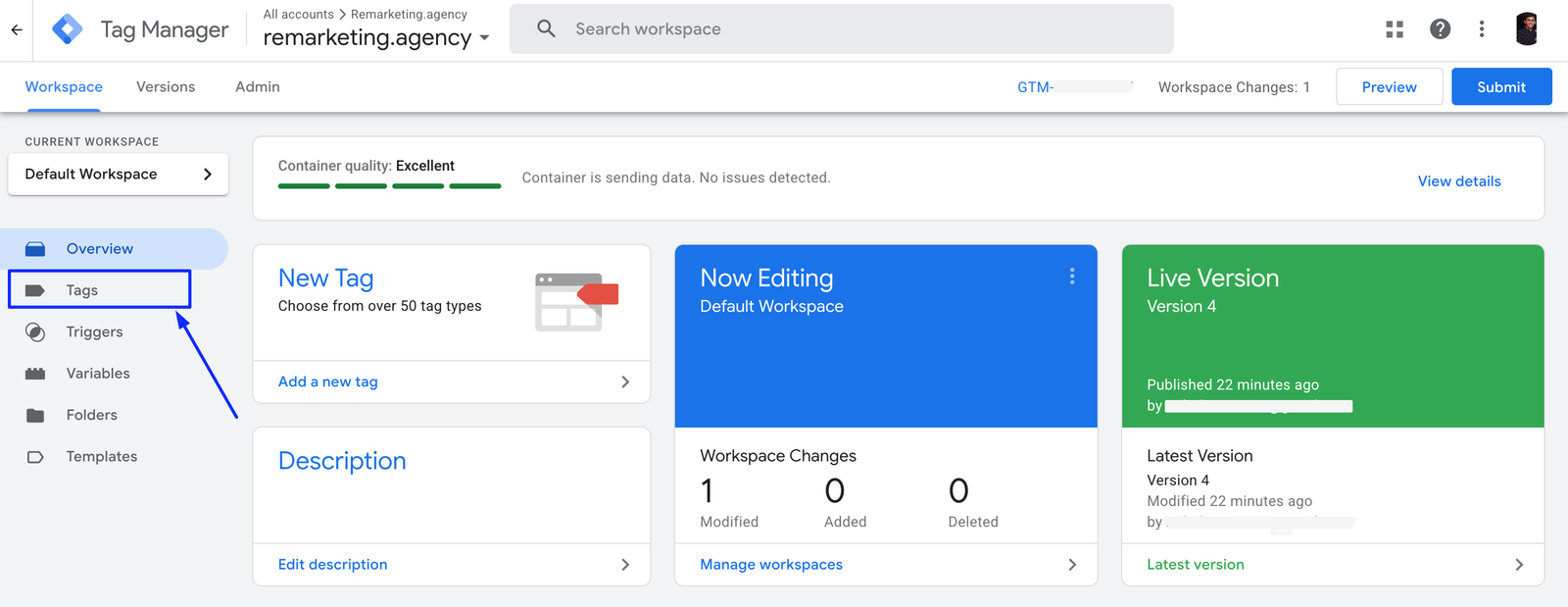
From Right Side pop-up will occur
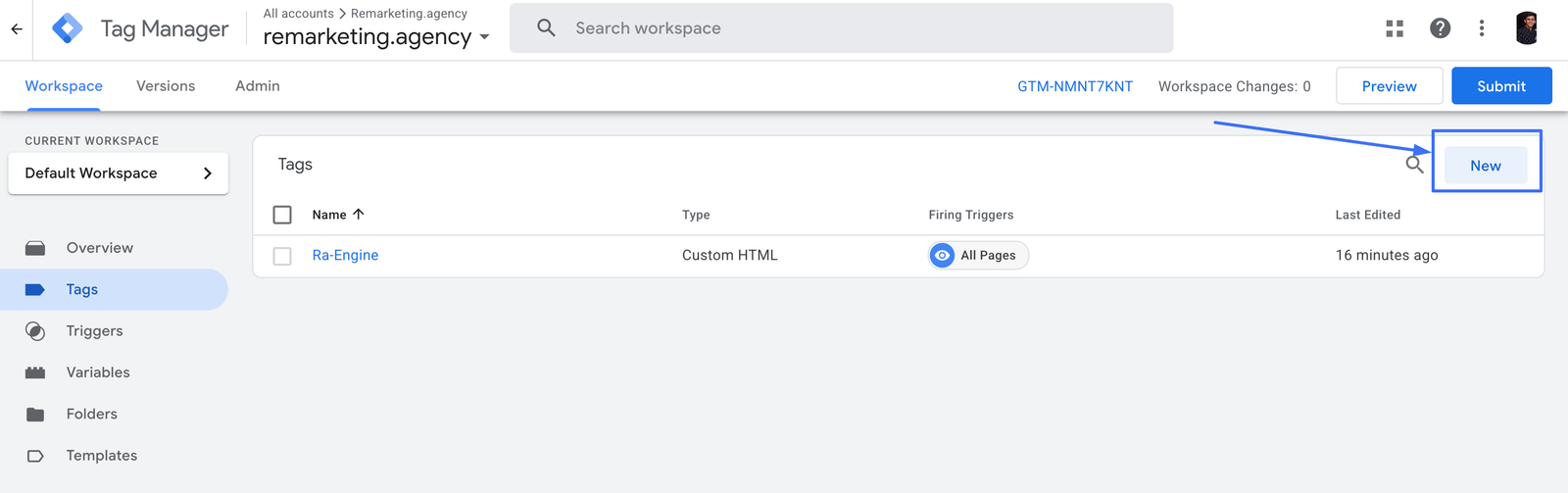
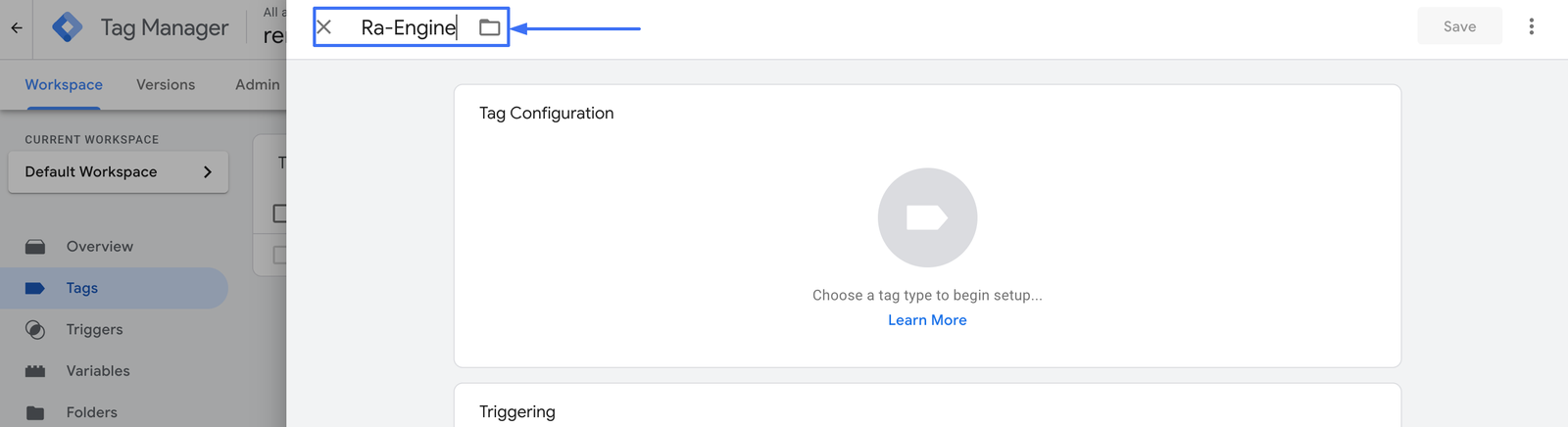
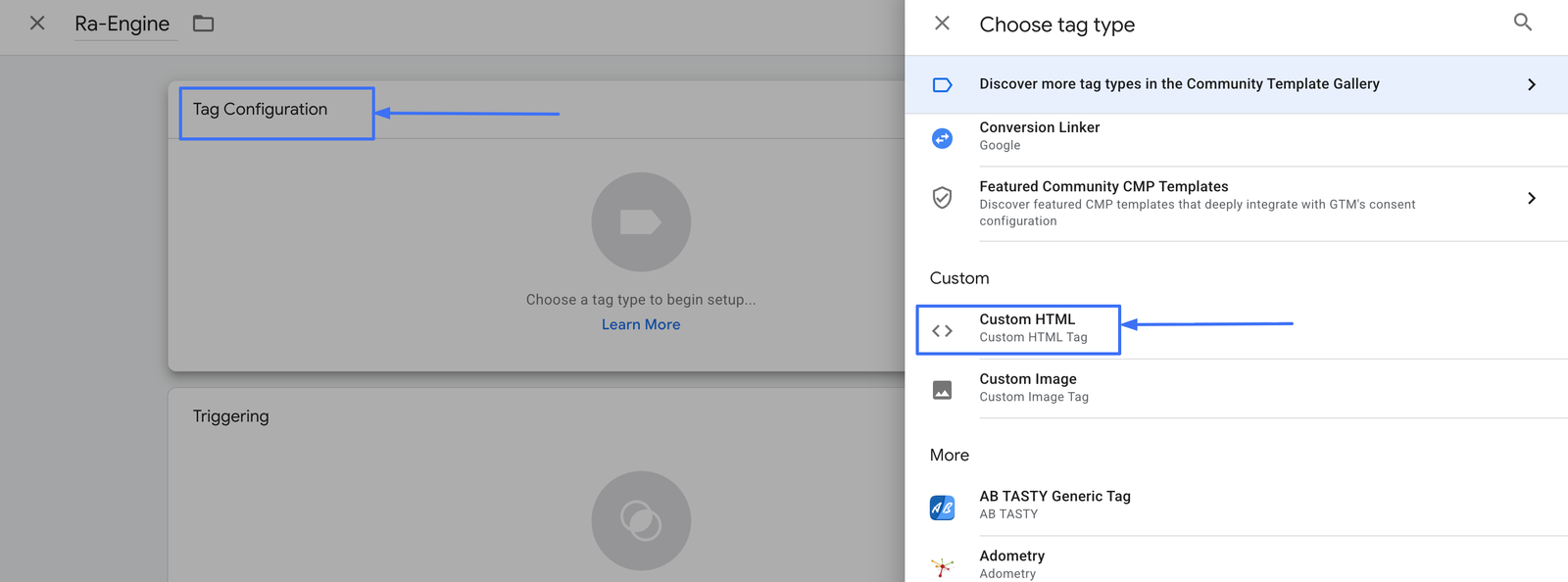
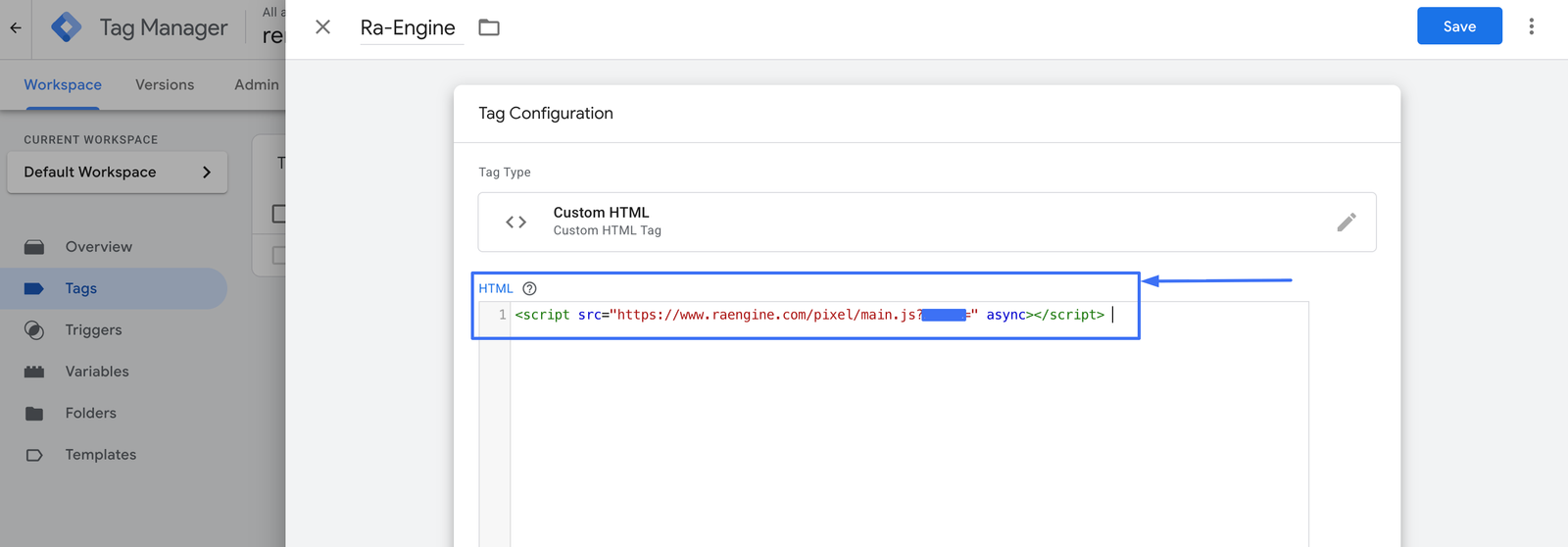
pop up will appear
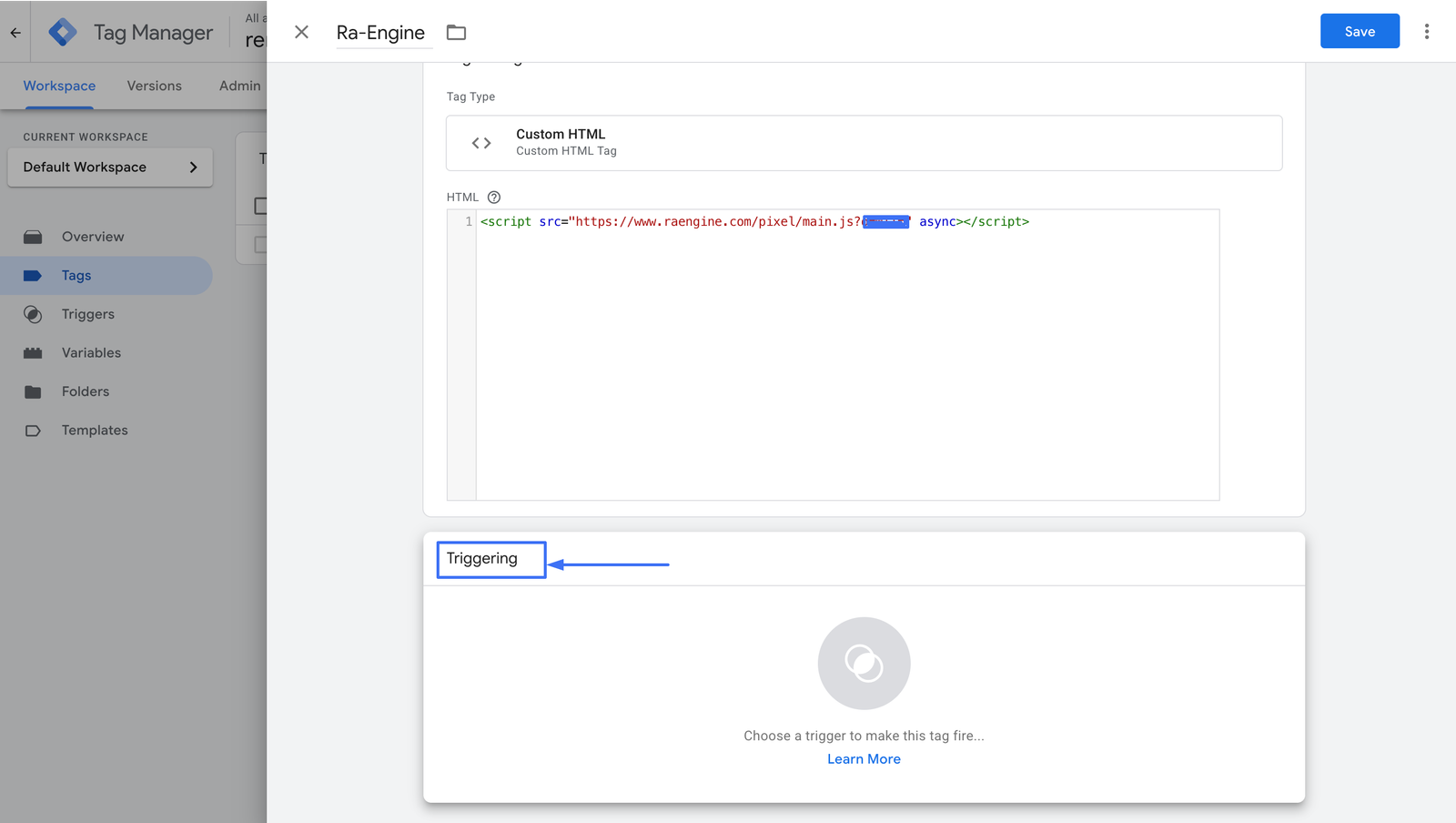
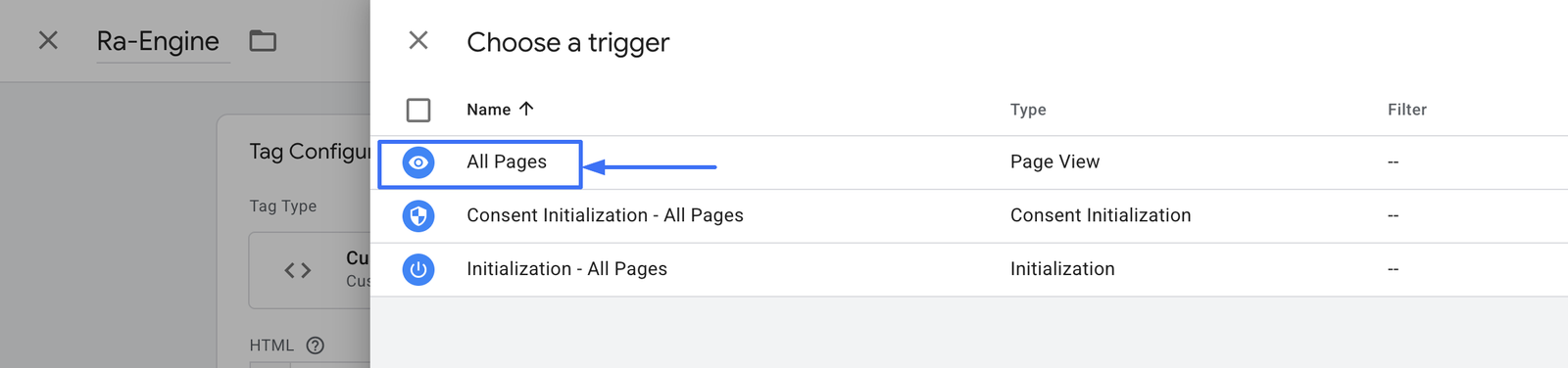
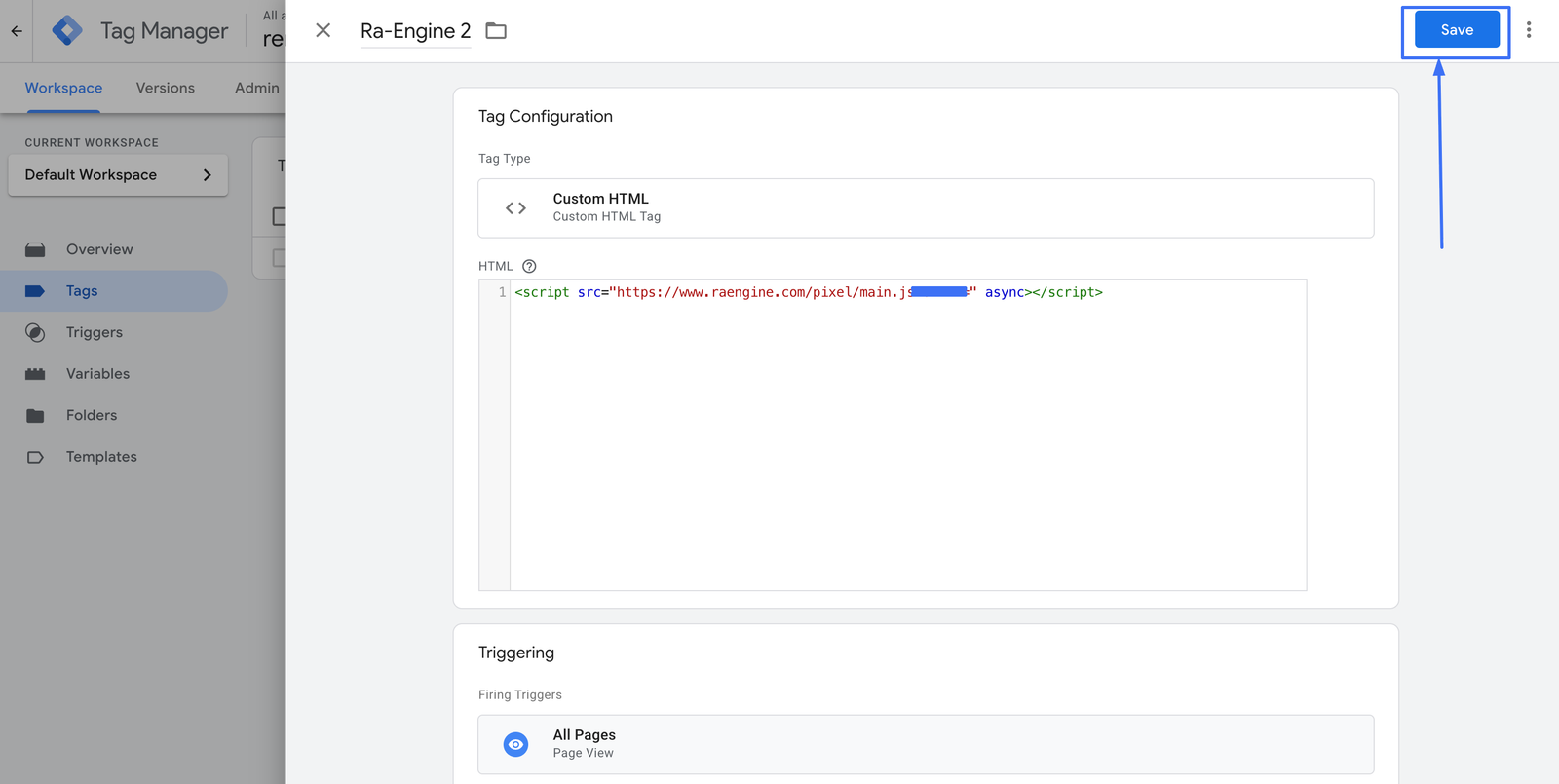
Then a pop-up will appear
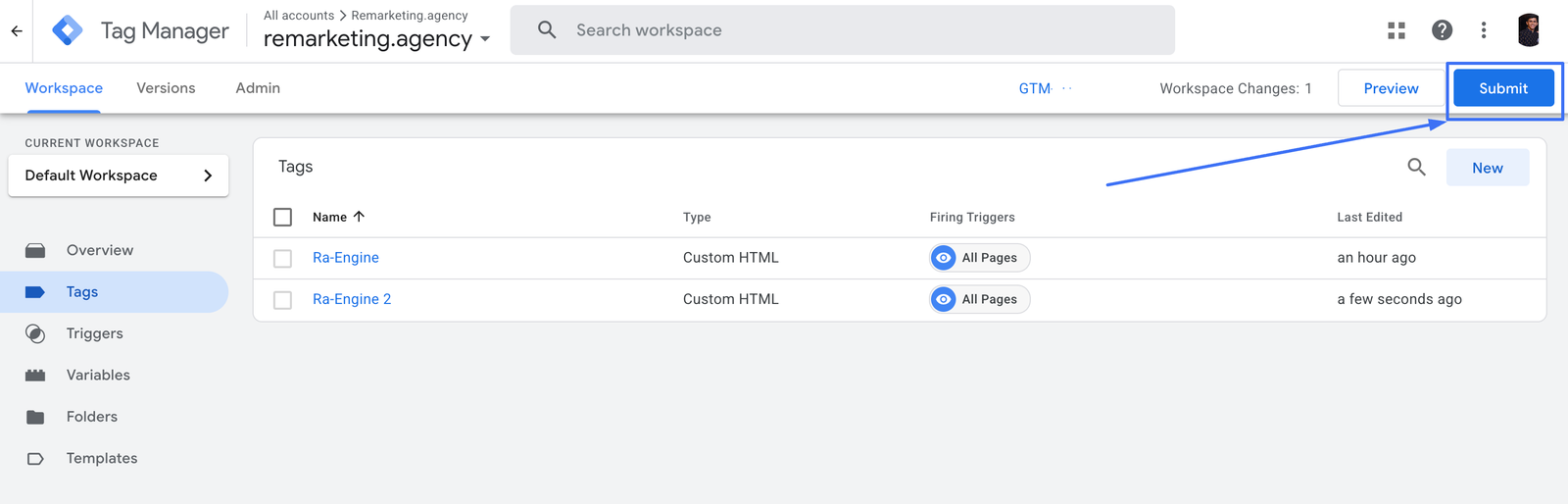
popup will appear
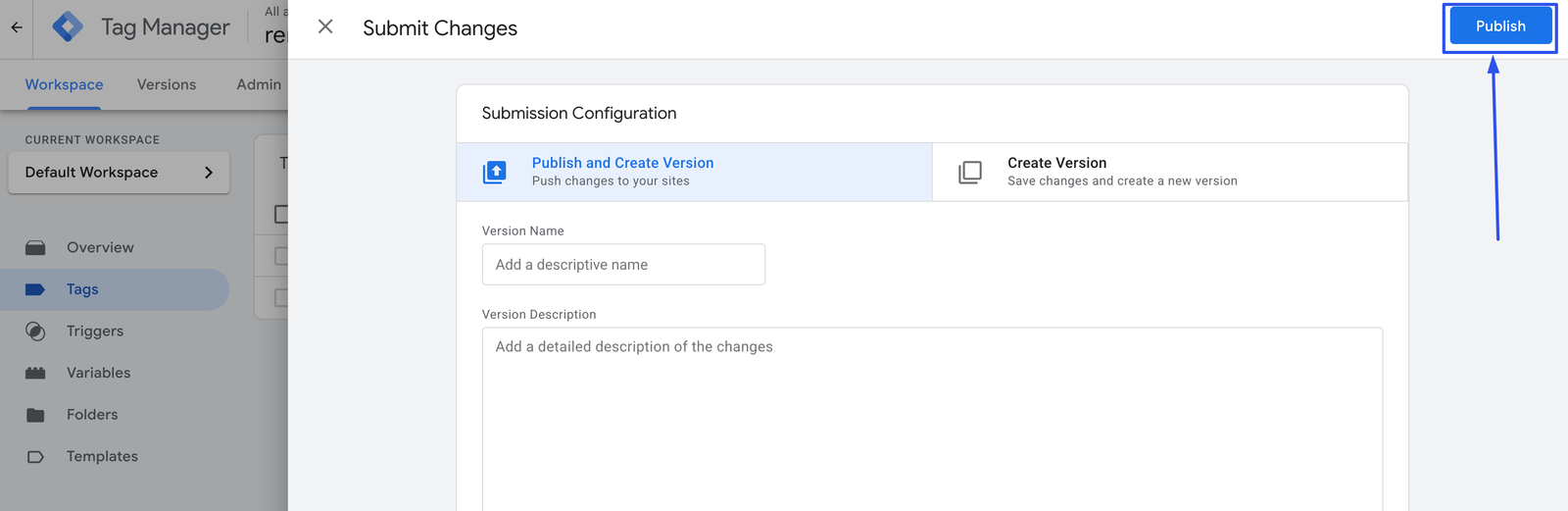
Once this is done, our pixel will start working.
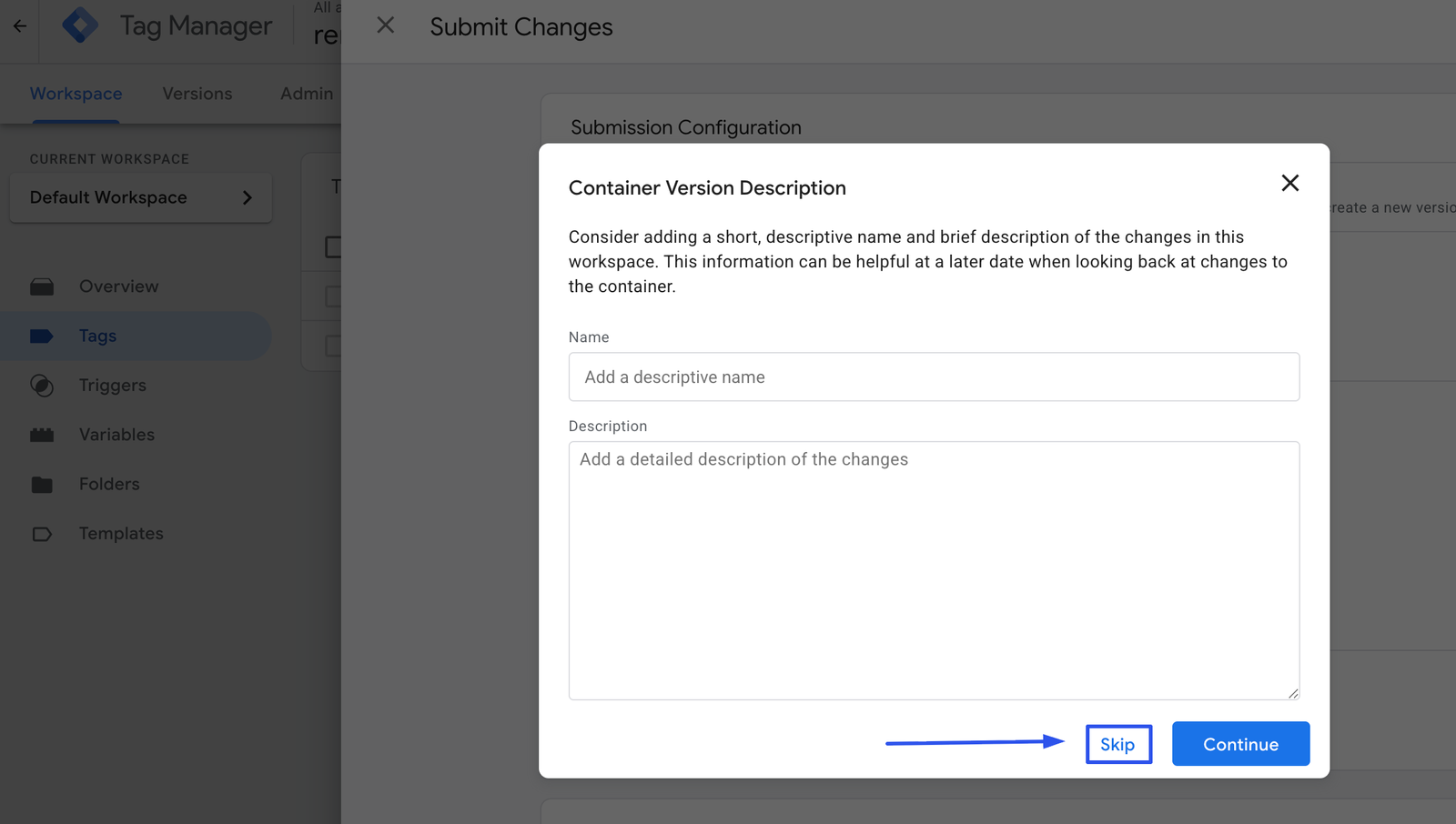
Find your best customers, engage them with the perfect ad, and meet your business goals. Remarketing Platform helps you build ad campaigns that increase sales and grow your customer base.